Code-based password reset
This feature is not yet part of a stable iDempiere release and may change.
- Goal: Security
- Developer: Diego Ruiz(BX Service GmbH)
- Feature Ticket: IDEMPIERE-7060
Code-based password reset
When email login is enabled, "Forgot My Password" runs a code-based reset directly in the login page instead of emailing a temporary password. The user requests a reset, receives a numeric code by email (6 digits by default), enters it, and then sets a new password.
This flow is active only when the USE_EMAIL_FOR_LOGIN System Configurator key is Y. When email login
is off, the legacy security-question flow is unchanged.
Prerequisites
USE_EMAIL_FOR_LOGINis set toY.- An SMTP server is configured at the System tenant level.
- The user account has an email address.
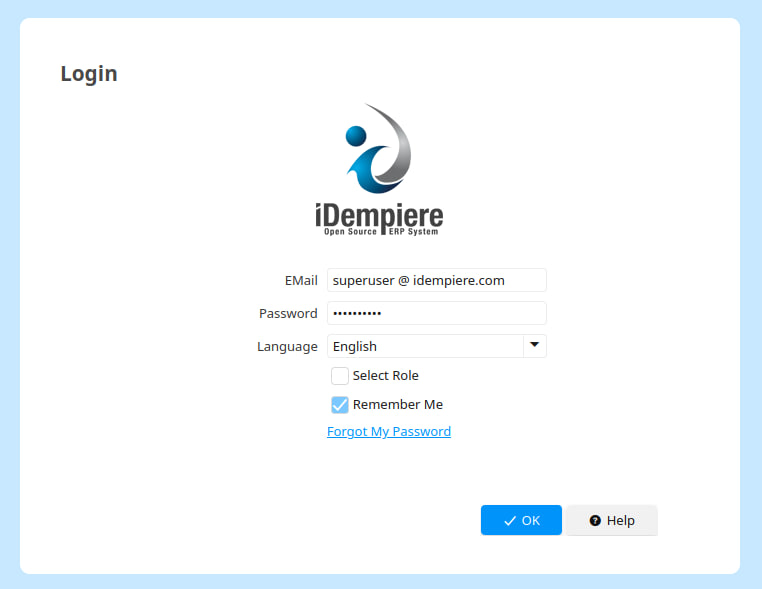
The three steps
Clicking "Forgot My Password" replaces the login box with the reset panel. The panel walks through three steps.
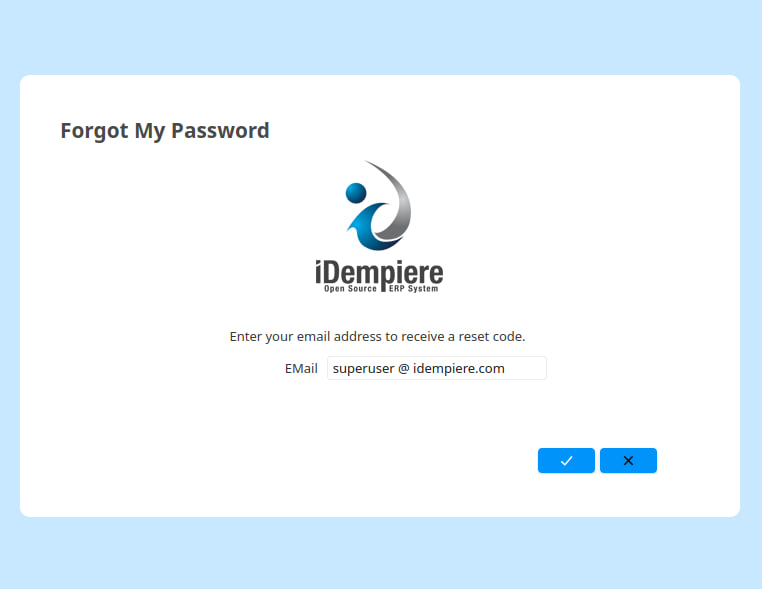
Step 1: Identify
The user enters the account email and confirms. The response is neutral: the panel always advances to the code step whether or not the email matches an account, so it does not reveal which addresses are registered.
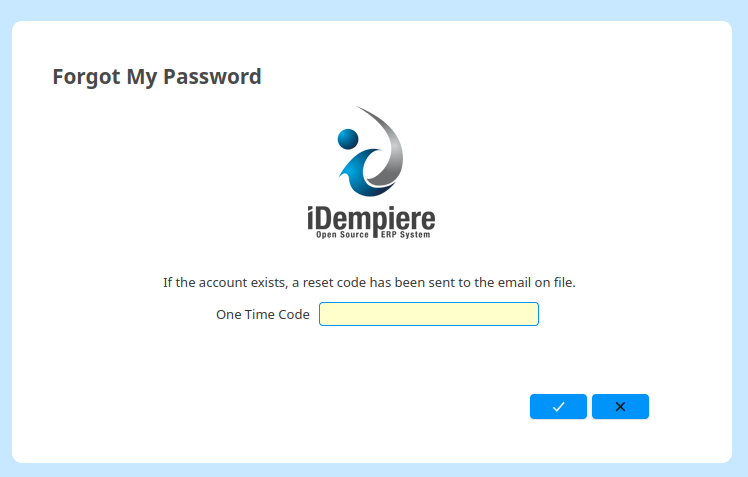
Step 2: Enter the code
A numeric code is emailed to the address and the user enters it in the code field. The code is 6 digits
by default; the length is set by PASSWORD_RESET_CODE_LENGTH (see
System configuration).
The code is valid for a limited time and a limited number of attempts. Requesting a new code invalidates the previous one.
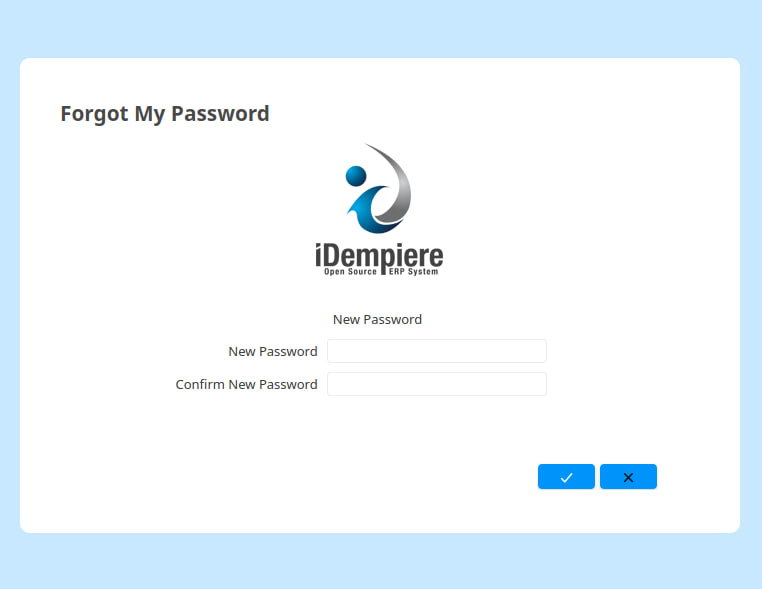
Step 3: Set a new password
After the code is verified, the user enters and confirms a new password. On success:
- Existing sessions for the account are invalidated.
- Any failed-login lockout on the account is cleared.
- The panel returns to the login page so the user can sign in with the new password.
Password validation
The new password goes through the standard user password path, so the same rules as a normal password change apply:
- Password policy rules (
Password Rule) and password-history reuse checks are enforced. - The
CHANGE_PASSWORD_MUST_DIFFERkey is honored: the new password cannot equal the account's current password.
System configuration
The flow is tuned through System Configurator keys (all with entity type Dictionary). The defaults are
shown below.
| Key | Default | Purpose |
|---|---|---|
PASSWORD_RESET_CODE_EXPIRY_MINUTES | 10 | Minutes a code stays valid. |
PASSWORD_RESET_CODE_LENGTH | 6 | Number of digits in the emailed code. |
PASSWORD_RESET_MAX_ATTEMPTS | 5 | Wrong-code attempts before a code is locked. |
PASSWORD_RESET_REQUEST_COOLDOWN_SECONDS | 60 | Minimum seconds between reset requests for one identifier. |
PASSWORD_RESET_MAX_REQUESTS_PER_HOUR | 5 | Maximum reset requests per identifier per hour. |
PASSWORD_RESET_VERIFIED_TOKEN_EXPIRY_MINUTES | 5 | Minutes the post-verify token stays valid to set the new password. |
PASSWORD_RESET_SERVICE_CLASS | org.adempiere.base.DefaultPasswordResetService | DS component name of the service implementation (see Replacing the service). |
Security notes
Several safeguards apply beyond the request and attempt limits above:
- The emailed code is stored encrypted. Its strength depends on the instance keystore key; an instance still using the shipped default key gets weaker protection.
- Only one code is active per email at a time. Issuing a new code expires the previous one.
- Responses are neutral so the flow does not reveal which emails are registered. Unknown addresses get the same attempt lockout and request throttling as registered ones (simulated in memory, with no token or email ever created), so the verify and request responses cannot be used to enumerate accounts.
- The token minted after a correct code is single-use and short-lived.
- A completed reset invalidates the account's existing sessions.
Replacing the service
The reset logic sits behind the org.adempiere.base.IPasswordResetService interface. Both the login
panel and any other front end resolve the implementation through
PasswordResetServiceFactory.getService(AD_Client_ID), never by instantiating a class directly.
To ship a custom implementation:
- Provide a class implementing
IPasswordResetService, registered as an OSGi Declarative Services component that provides that interface. - Set
PASSWORD_RESET_SERVICE_CLASSto the component name.
If the key is empty or names a component that is not registered, the built-in
org.adempiere.base.DefaultPasswordResetService is used.